
Skip to Content
AWS SMART HOME
AWS SMART HOME
Home
Services
Alarm Packages
Prima
Alula
2GIG
IQ
Alarm.com
Monitoring
NVR Systems
Prequalify
Garage
(0)
Cart (0)
Book now
AWS SMART HOME
AWS SMART HOME
Home
Services
Alarm Packages
Prima
Alula
2GIG
IQ
Alarm.com
Monitoring
NVR Systems
Prequalify
Garage
(0)
Cart (0)
Book now
Home
Services
Alarm Packages
Prima
Alula
2GIG
IQ
Alarm.com
Monitoring
NVR Systems
Prequalify
Garage
Book now
  • Alarm.com,
• 10/17/25

Alarm.com Video – Reconnecting Your WIFI Camera Using Ethernet

Upgrading your router or editing its Wi-Fi credentials can disrupt your ability to view your Wi-Fi cameras on Alarm.com. Follow these simple steps to reconnect your cameras to the new network using an Ethernet Cable!

Previous

Preview
Preview
Alarm com Video Analytics: Feature Walkthrough

Next
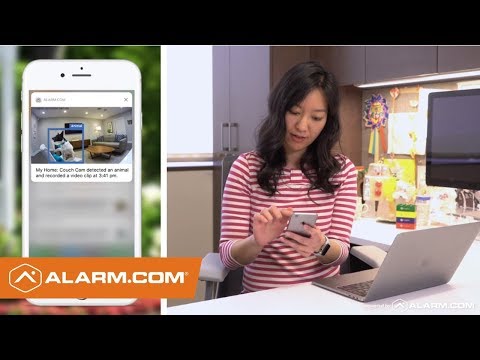
Preview
Preview
Alarm.com Video – Reconnecting Your WIFI Camera Using WPS Mode

You Might Also Like

Related Embedded Video Item Thumbnail
Preview
Preview
Alarm.com Video Doorbell – Doorbell Call Notification and Recording Rule
Related Embedded Video Item Thumbnail Battery Replacement for the Kwikset 914 Deadbolt
Related Embedded Video Item Thumbnail
Preview
Preview
Alarm.com Video Doorbell - Video Analytics
Related Embedded Video Item Thumbnail Battery Replacement for the Yale 210 Deadbolt
Related Embedded Video Item Thumbnail Battery Replacement for the Z-Wave TBZ48D
  • Builder Program

  • Monitoring Setup Form

  • Knowledge Base Videos

  • Return Policy

  • AWS Privacy Policy

  • Apparel & Merch

  • About Us

Support@awssmarthome.com
(469) 966-1149

Business License# B30886601